Compu-Global-Hyper-Mega-Net (CGHMN) is a retro internet for retro computers. It can be set up on a router as a virtual private network, giving you access to community-run servers for old software and games. Internet, eh?
To learn more about why it exists, and how it works, watch Compu-Global-Hyper-Mega-Net: A Retro Internet for Retro Computers. The growing list of services available include AOL Instant Messenger (AIM), Steam (2004 client), StarCraft, and RuneScape 2.
Legacy Update and Windows Update Restored are first-class citizens on CGHMN. By visiting legacyupdate.net or windowsupdaterestored.com on CGHMN, you will directly connect to our servers through the virtual network.
Some Windows Update services are automatically routed through Legacy Update servers. If you’re not already set up with Legacy Update or Windows Update Restored, click Start → All Programs → Windows Update (or in Internet Explorer, Tools → Windows Update) to get started.
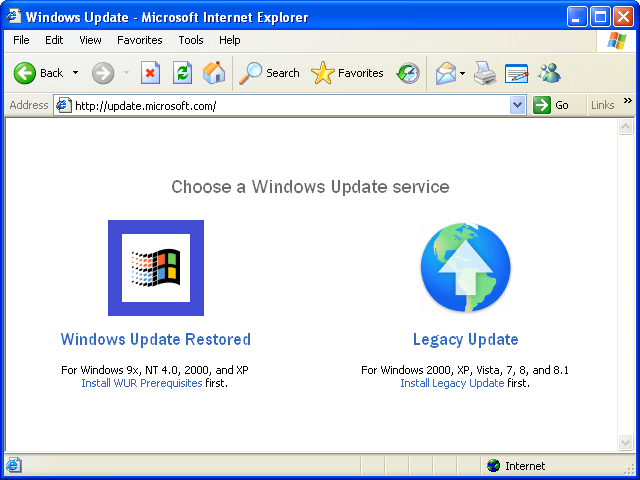
This page will only appear if you have correctly set up CGHMN, including the DNS server.
We plan to continue expanding our CGHMN service with more useful features.