Legacy Update can fix connection errors encountered while activating Windows XP and Windows Vista.
As these operating systems are more than 18 years old, they lack the ability to connect to some modern web servers - at least, not without a bit of help. One such example appears when attempting to activate these older versions of Windows.
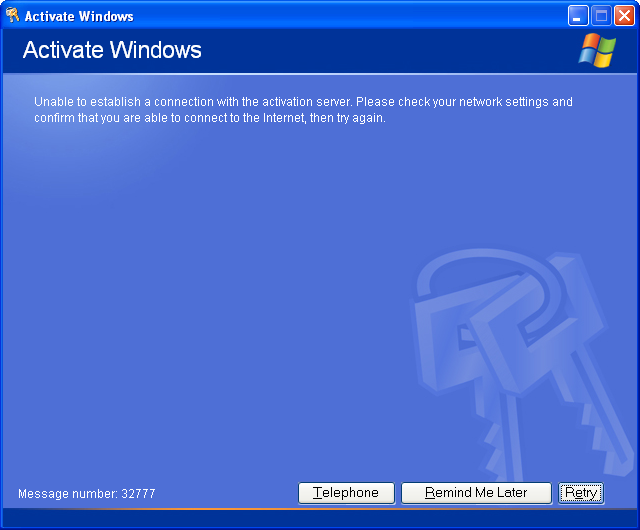
On Windows XP, you may see the error “Unable to establish a connection with the activation server” with Message number: 32777:
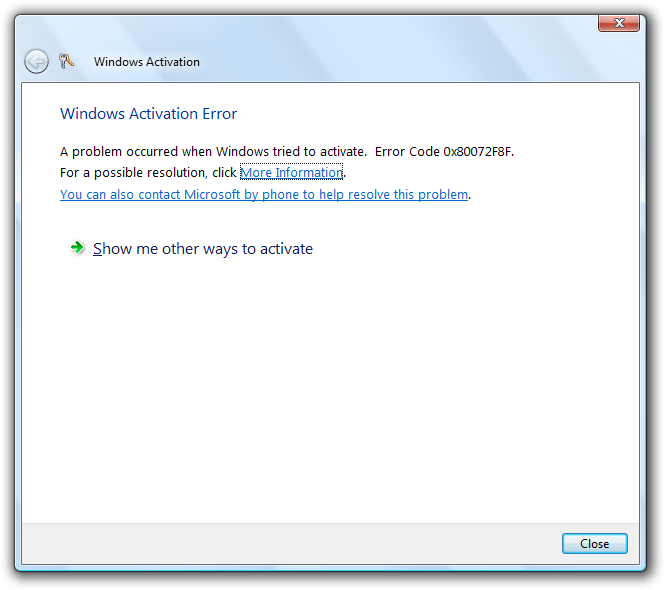
On Windows Vista, you may see the similar error “A problem occurred when Windows tried to activate. Error Code 0x80072F8F”:
To fix this, download and run Legacy Update. Select the “Activate Windows” checkbox. Once Legacy Update has installed required updates for your system, it will display the Activate Windows wizard again. Follow the instructions, and you should find that your Windows installation activates successfully.
Legacy Update is not an activation crack
A product key you legitimately own is still required. Legacy Update doesn’t modify the Windows Product Activation or Windows Genuine Advantage features in any way. Rather, it updates Windows’s SSL security settings to enable connections to modern web servers to succeed. This corrects a connection issue with the Windows XP and Windows Vista activation servers, so you can activate Windows exactly as you would have done in 2020 or prior.
Bypassing activation mechanisms is not, and never will be, planned. You may also be required to install mandatory Windows Genuine Advantage updates, or pass WGA validation to install certain updates.
Activating using the Product Activation portal
If you are still experiencing connection errors after installing Legacy Update, you can try the offline activation system.
Select “Telephone” or “Yes, I want to telephone a customer service representative to activate Windows” (Windows XP), or “Show me other ways to activate” followed by “Use the automated phone system to activate” (Windows Vista and later). This will generate an installation ID, which you can provide to Microsoft to receive a confirmation ID. Entering a valid confirmation ID is equivalent to activating online.
As of 3 December 2025, the telephone-based service is no longer available, and has been replaced by the web-based Product Activation portal. Visit visualsupport.microsoft.com on a modern computer. A Microsoft account is required to use this service. For more information on using this service, refer to the Microsoft Support article “Activate Microsoft perpetual products using the Product Activation portal”.
This service is also usable for products such as Microsoft Office, which remain unable to activate online at this time.